Vibe Coding a Custom Annotation UI
A practical guide to building a focused annotation UI in minutes using Langfuse as data source
 Abdallah Abedraba
Subject matter experts reviewing LLM outputs shouldn’t need to understand trace structures or navigate a general-purpose platform. They need a focused interface that shows exactly what matters for their domain. This is why custom annotation UIs work so well, and why they’re surprisingly quick to build when your data infrastructure already exists.
Why Custom Beats Generic
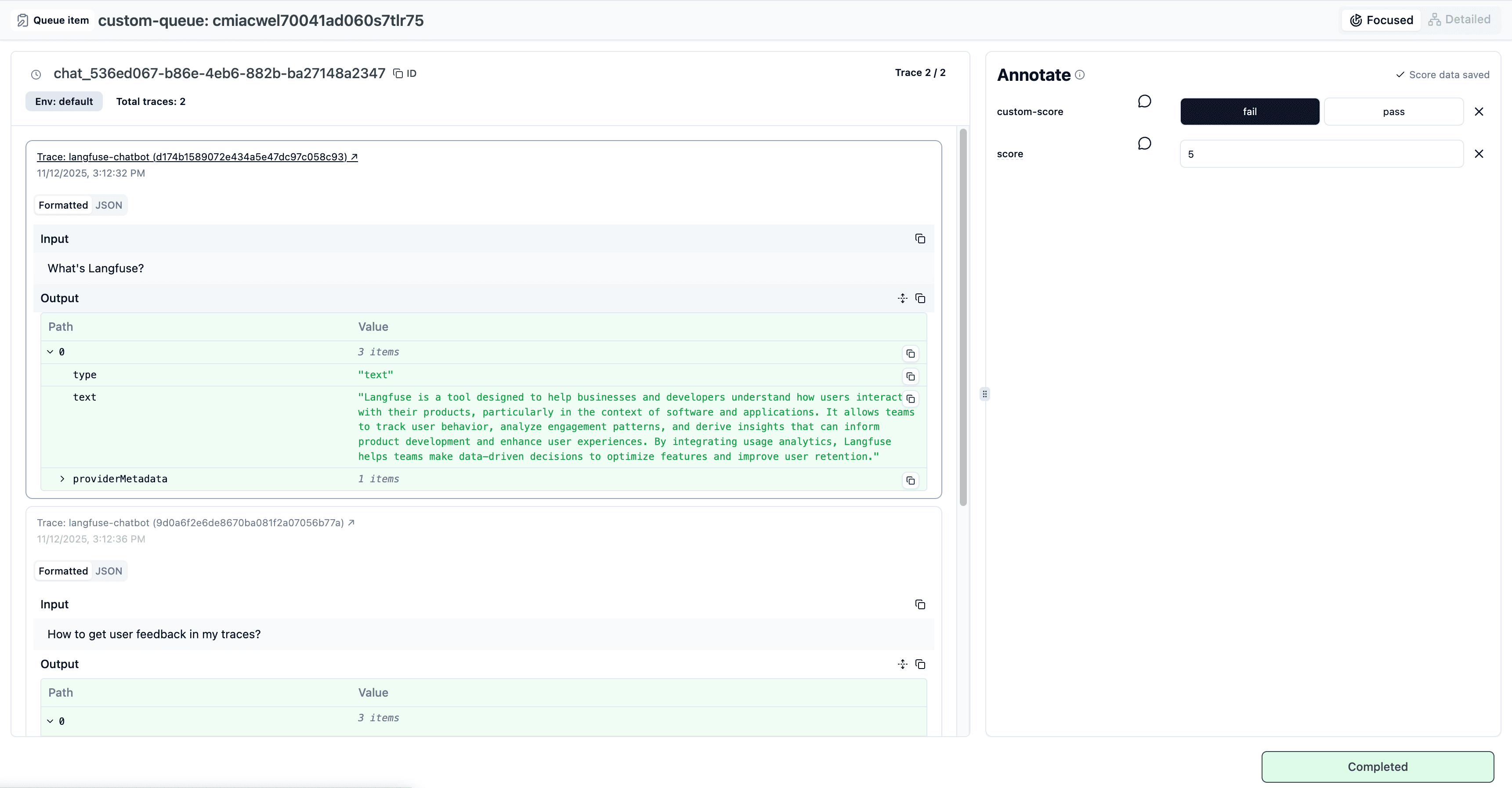
Langfuse annotation queues handle the hard parts: queueing items, tracking completion status, storing scores with proper data types. But the default UI serves everyone, which means it serves no one perfectly. Your mortgage application reviewers don’t need to see OpenTelemetry spans. Your content moderators don’t need token counts.
A custom interface eliminates cognitive overhead. Show chat messages like chat messages. Render emails like emails. Add keyboard shortcuts so reviewers never touch their mouse. This isn’t about building something impressive, it’s about removing friction from repetitive work.
When to Build Your Own
Three signals indicate a custom UI will pay off:
- You have non-technical reviewers who need to evaluate outputs regularly. Platform complexity becomes actual cost when it slows down the people doing the work.
- Your domain has specific rendering needs. Code needs syntax highlighting. Emails need proper formatting. Structured data needs collapsible sections.
- You want reviewers moving fast. Keyboard shortcuts, auto-advance on submit, focused layouts; these details compound over hundreds of reviews.
Conversely, if you’re the only reviewer or your traces render fine in a generic interface, stick with the platform UI. Custom interfaces add maintenance burden. Build them when the benefit clearly outweighs the cost.
The Setup That Makes This Possible
This project took an afternoon because the foundation already existed. Langfuse exposes annotation queues, score configs, and trace data through a clean API. The TypeScript SDK provides type safety. All the infrastructure for managing human evaluation is already running.
What remained was straightforward: build a UI that fetches queue items, renders them in a domain-specific way, and submits scores back. No auth system to build. No database schema to design. No score aggregation logic to write.
How I Vibe-Coded the UI Quickly
The workflow started by having Claude filter the Langfuse API reference. Rather than reading hundreds of endpoints, I asked it to identify only what this specific project needed: queue listing, item retrieval, score submission. This gave me a focused list of 6-7 endpoints instead of wading through comprehensive docs.
Next came v0.dev with a critical advantage: I told it the exact data shapes it would receive. Here’s what worked (and here’s my real prompt):
I'm building an annotation interface for LLM traces.
Here are the API endpoints I'll use:
- GET /queues → returns {id, name, scoreConfigIds}
- GET /queues/{id}/items → returns {objectId, objectType, status}

Mock these responses for now. Build a dashboard showing
pending vs completed counts, then a detail view with
keyboard navigation (arrow keys) and a scoring panel.
v0 generated a working UI in one shot because it knew the data contracts. No hallucinated fields. No mismatched types.
The mocked version got me 80% there (proper routing, state management, UI layout). Then I connected real Langfuse endpoints by pointing Claude Code at the repository with the Langfuse Docs MCP. It knew which calls needed secret keys (all read operations and status updates) and which could run client-side (score submission, which uses only the public key). The API routes appeared in /app/api/ without me writing the boilerplate.
What the UI Actually Does
Three screens handle the complete workflow:
- Dashboard lists annotation queues with pending/completed counts. Reviewers click into whichever queue needs attention.
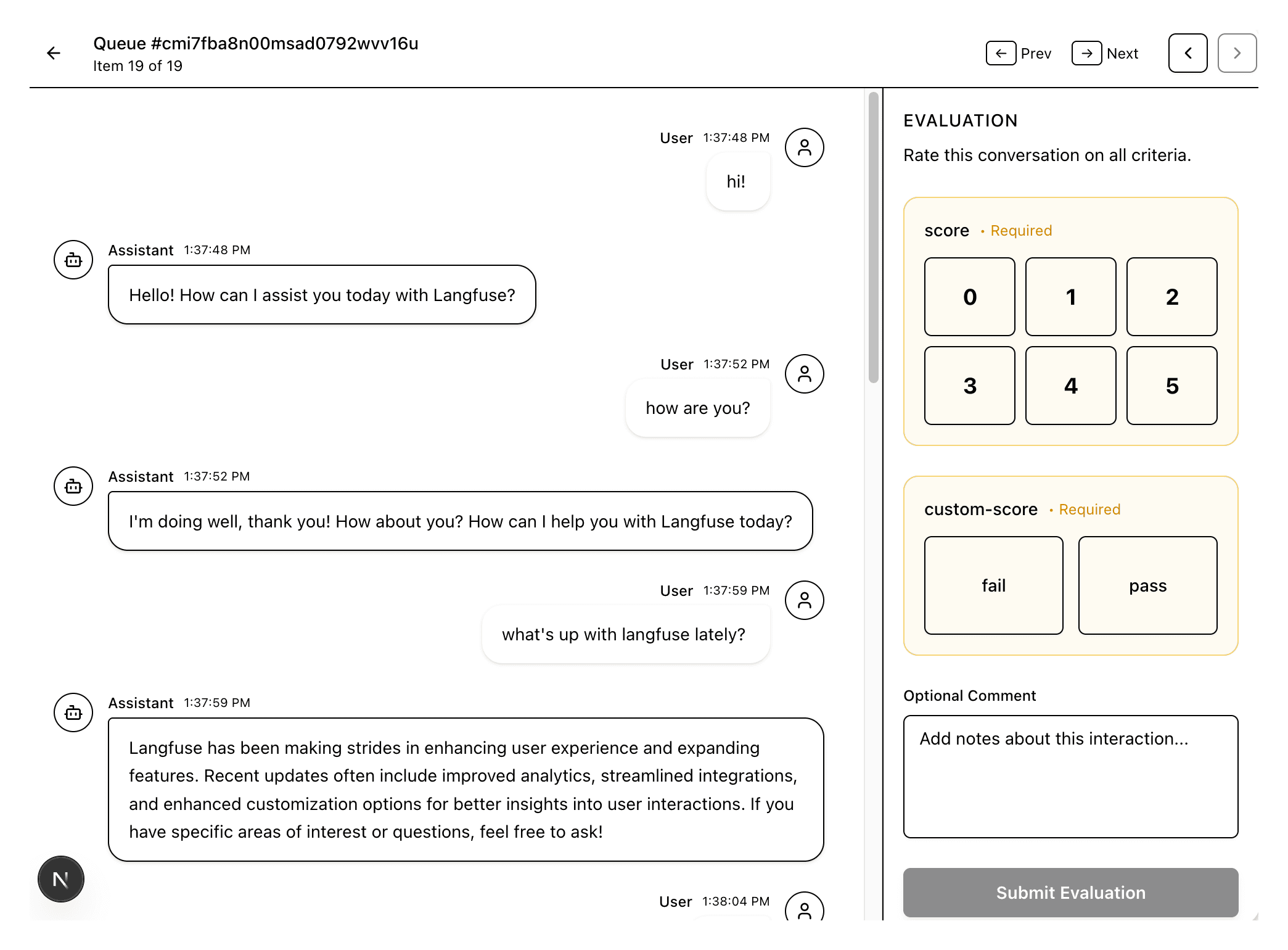
- Annotation view shows the conversation in a clean chat interface. User messages on the right, assistant responses on the left. Timestamps when relevant. Nothing else.
- Scoring panel adapts to your score configs. Binary yes/no for safety checks. 1-5 scales for quality ratings. Categorical options for classification tasks. Langfuse defines these in your project settings; the UI just renders them.
Arrow keys move between items. Submit a score and it automatically advances. Reviewers stay in flow state.
Starting Your Own
The pattern generalizes well beyond this example. Your situation might need file attachments, side-by-side comparisons, or embedded preview windows. The core approach stays the same:
Identify your data source (Langfuse, internal DB, S3 bucket). Map the exact API endpoints needed. Give an AI the data contracts and describe the workflow. Get a working prototype, then wire real endpoints. Vibe-coding works when you know precisely what you’re building and have stable APIs. The infrastructure handles auth, data storage, and business logic. You focus on interaction design.
The example repository lives in our examples repository. Run it and get inspired to build your own focused annotation interface.